Blog · Application
A stainless part at a conveyor stop
The clamp only closes when the part really sits on the stop. With stainless parts the sensor has to be set differently.

The problem
Parts ride a belt to a mechanical stop, and a clamp or robot acts when one arrives. The parts are stainless. An inductive sensor set for steel sees them too late or not at all, so the clamp either waits forever or closes on nothing.
The station
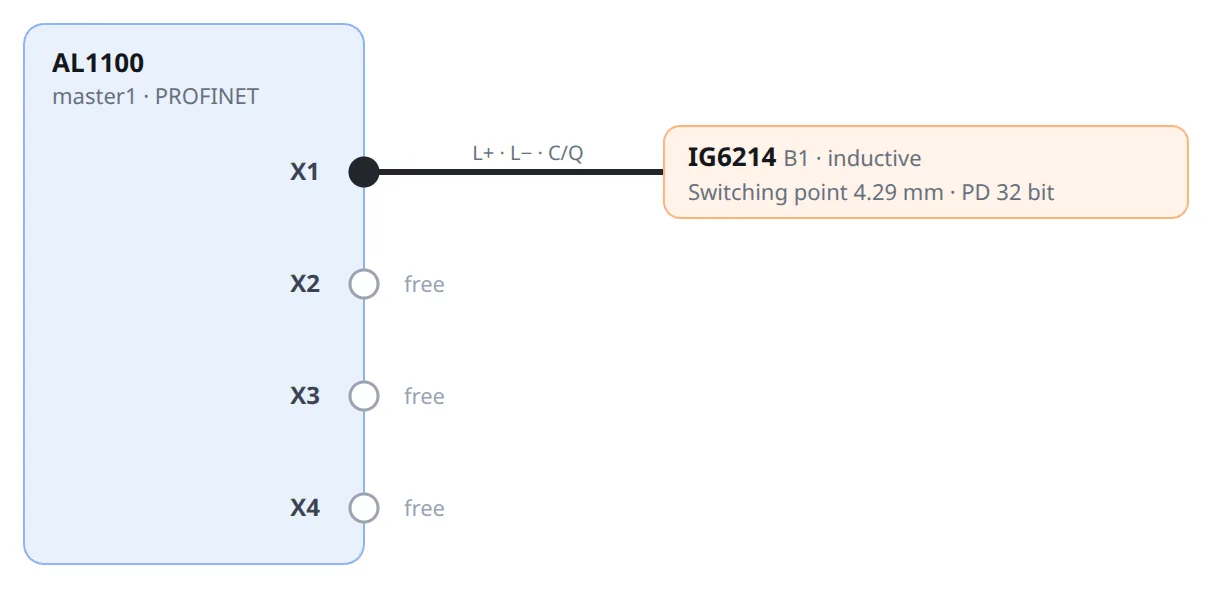
- Sensor ifm IG6214, M18 inductive, IO-Link, port class A
- Master ifm AL1100, 4 ports, PROFINET, mounted on the machine
- Port X1, M12 A-coded cable: 6.1 m route, 10 m ordered
The settings that matter
| Setting | Value | Why | Datasheet / IODD |
|---|---|---|---|
| Target material | stainless | The switch point is set in steel terms. | Correction: steel 1, stainless 0.7, brass 0.5, aluminium 0.5, copper 0.4 |
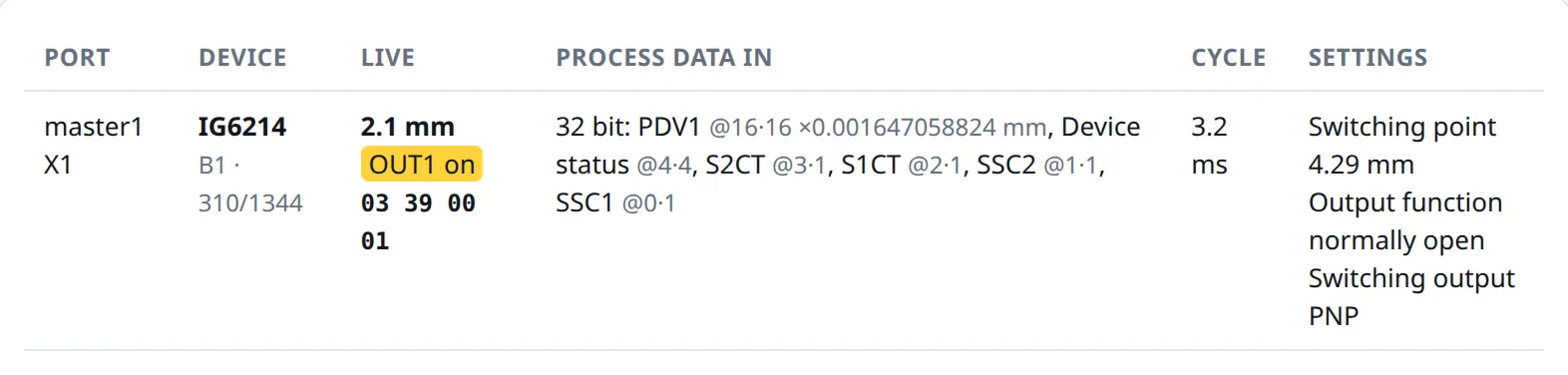
| Switching point | 3 mm at the part, 4.29 mm written | 3 mm / 0.7 = 4.29 mm steel-equivalent | IO-Link switch point 1.4 to 7 mm, so stainless reaches 0.98 to 4.9 mm |
| Output | normally open, PNP | 24 V while a part is held | NO/NC and PNP/NPN parameterisable |
Type 6 mm on stainless and the studio stops you: it needs 8.57 mm steel-equivalent, and the sensor only goes to 7. The IODD gives the switch point as raw 400 to 3800 without a unit; the studio maps it linearly onto the datasheet's 1.4 to 7 mm, so read the value back once at commissioning.
Run it
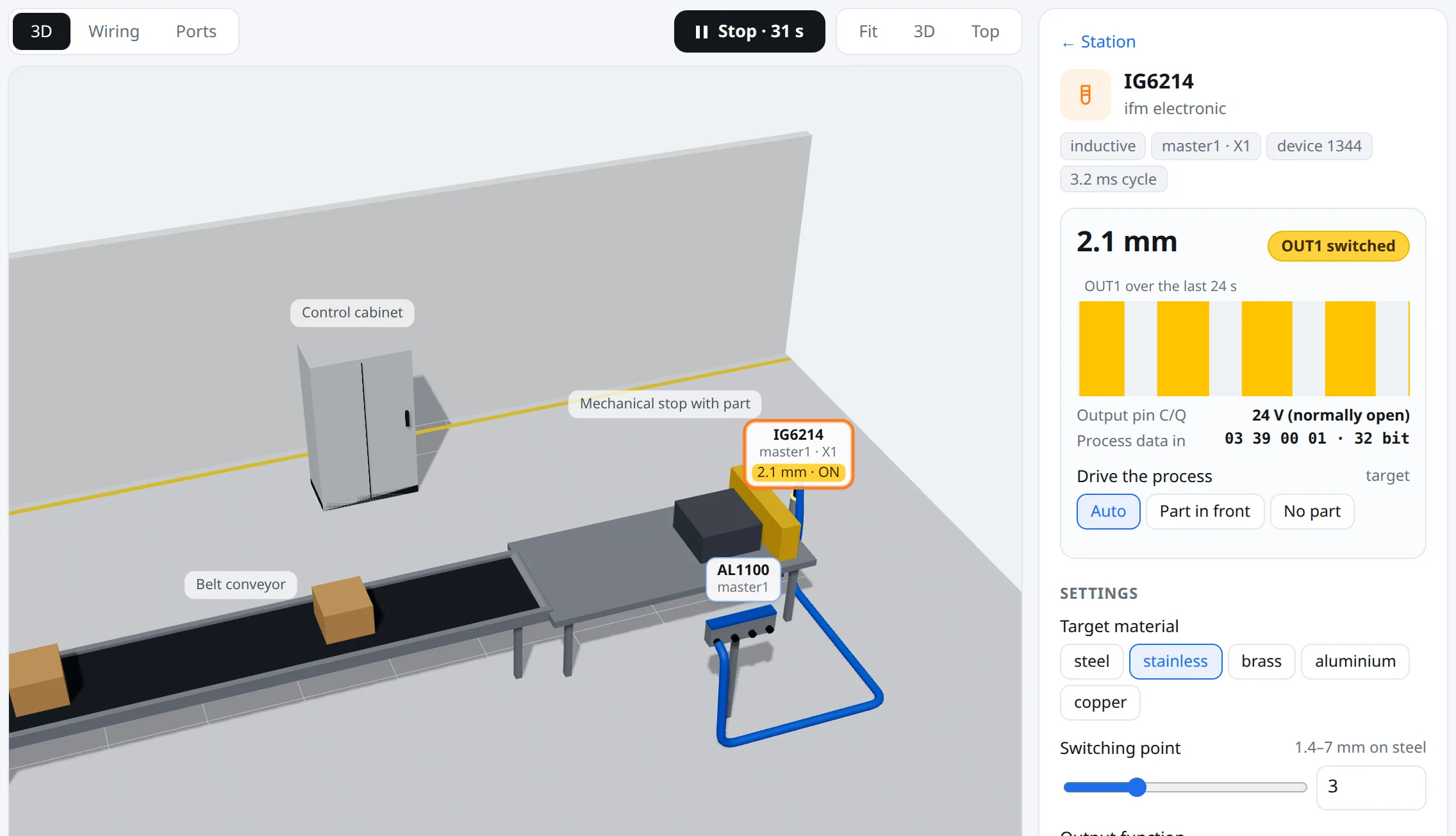
03 39 00 01. Bit 0 is SSC1.What you get
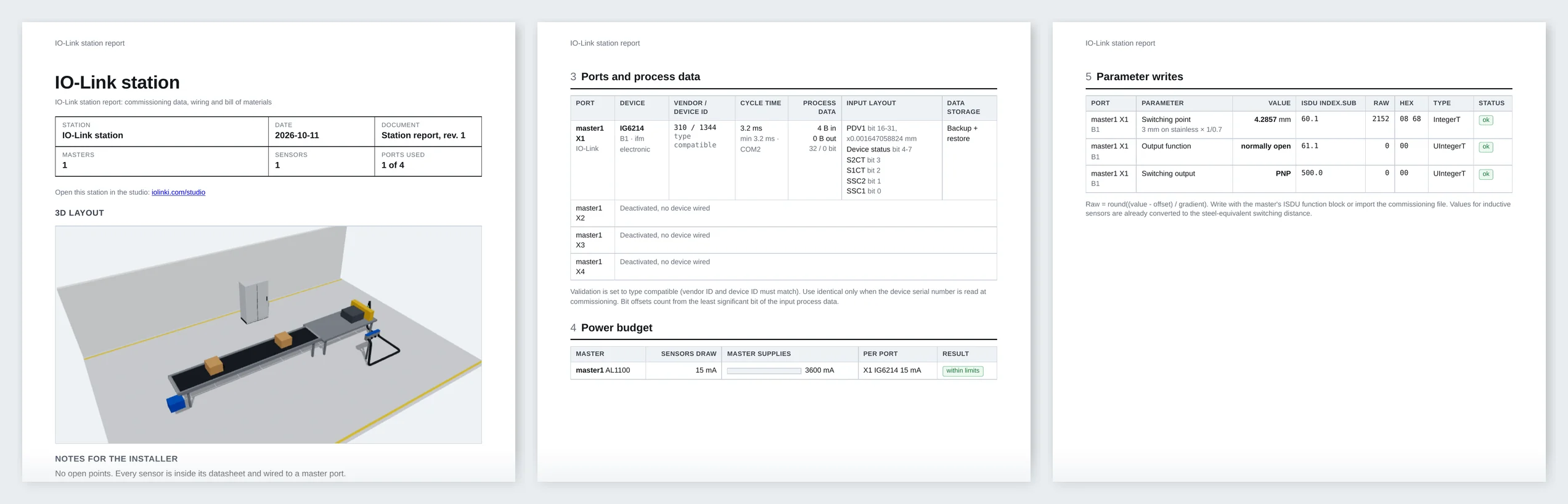
The commissioning file has every port: validation IDs, cycle time, data storage, and each parameter as ISDU index, subindex and raw value. This is port X1 from the real file, trimmed to the fields that matter:
{
  "port": 1, "mode": "iolink", "tag": "B1",
  "device": {
    "part": "IG6214", "vendor_id": 310, "device_id": 1344,
    "validation": "type_compatible", "data_storage": "backup_restore",
    "cycle_time_ms": {"device_min": 3.2, "recommended": 3.2},
    "parameters": [
      {"name": "Switching point", "value": 4.2857, "unit": "mm", "index": 60, "subindex": 1, "raw": 2152, "raw_hex": "08 68"},
      {"name": "Output function", "value": "normally open", "index": 61, "subindex": 1, "raw": 0, "raw_hex": "00"},
      {"name": "Switching output", "value": "PNP", "index": 500, "subindex": 0, "raw": 0, "raw_hex": "00"}
    ]
  }
}
Download: commissioning file (JSON) · CSV · station report (PDF)
Buy and install. One button in the studio sends the station to us. We reply with a price and an install date, buy the parts, mount and wire them, and write the settings on site. No payment is taken in the studio.
Open this station in the studio
The same station comes out of ChatGPT with the iolinki connector (https://mcp.iolinki.com/mcp, setup on the MCP page): describe the job and it builds, checks and shows the station in the chat.