Blog · Application
Coolant flow on a machine tool
Stop the cycle before the tool runs dry, and read the coolant temperature from the same sensor.

The problem
A clogged filter, a kinked hose or a worn pump cuts the coolant flow, and the pump itself raises no alarm. The machine keeps cutting, and the tool and the part pay for it within seconds.
The station
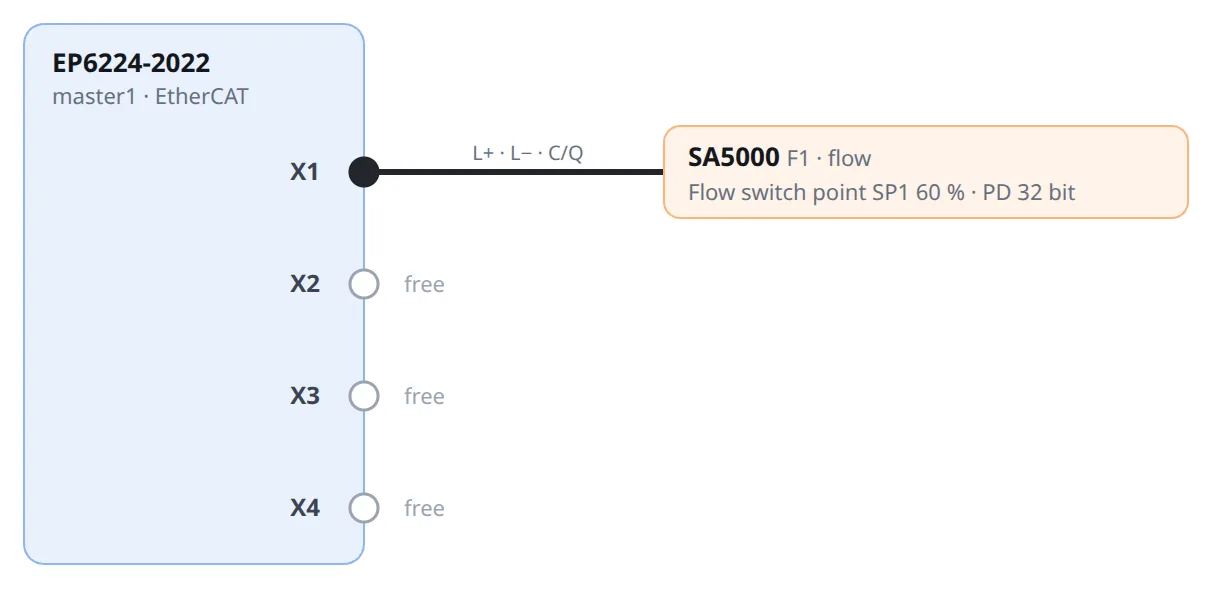
- Sensor ifm SA5000, calorimetric flow and temperature, 45 mm probe, M18 x 1.5, port class A
- Master Beckhoff EP6224-2022, 4 ports, EtherCAT. 1.4 A per port, 4 A total
- Port X1, 6.4 m route, 10 m cable
The settings that matter
| Setting | Value | Why | Datasheet / IODD |
|---|---|---|---|
| Operating mode | relative (factory) | Emulsion is not on the media list; teach the normal flow on the machine, then flow reads 0 to 100 % | Media: water, glycol, air, oils. Relative mode is DeviceID 533 |
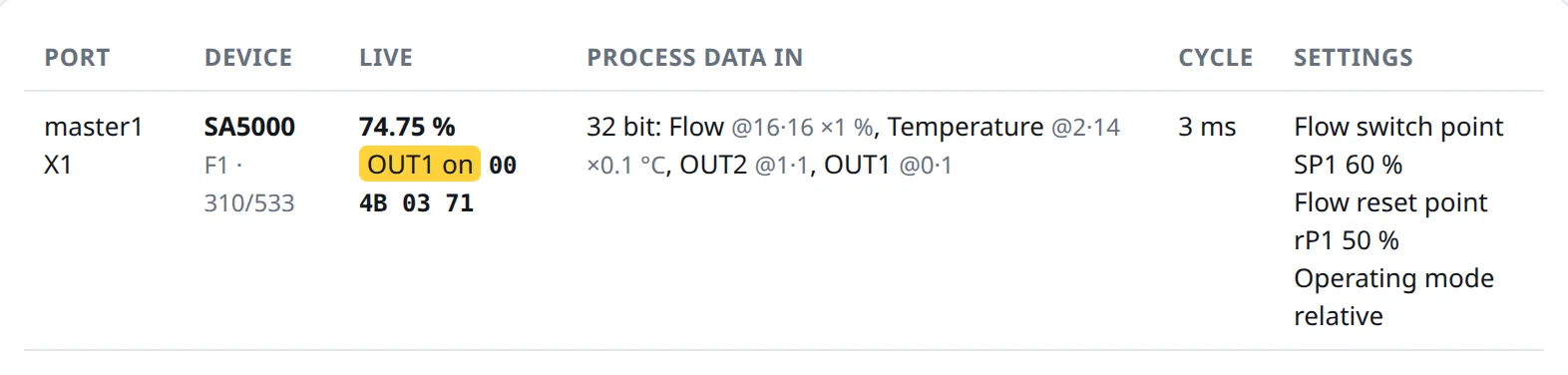
| Switch point SP1 | 60 % | “Flow OK” from 60 % of normal flow | SP1 5 to 100 % (IODD) |
| Reset point rP1 | 50 % | Drops at half the normal flow | rP1 0 to 96 % (IODD) |
| In the PLC | 10 s, then 0.5 s | Ignore the signal for 10 s after power-on. A flow loss arrives 0.5 s later (water) | Power-on delay 10 s; response 0.5 s water, 0.8 s glycol, 1.8 s oil |
The current report lists operating mode ModE at ISDU index 689 as read-only. Relative mode has raw value 0 and DeviceID 533; absolute liquid uses DeviceID 540 and absolute gaseous uses 547. This example expects a readback of 0 and does not export an ISDU write for ModE. The teach is done on the running machine.
Run it
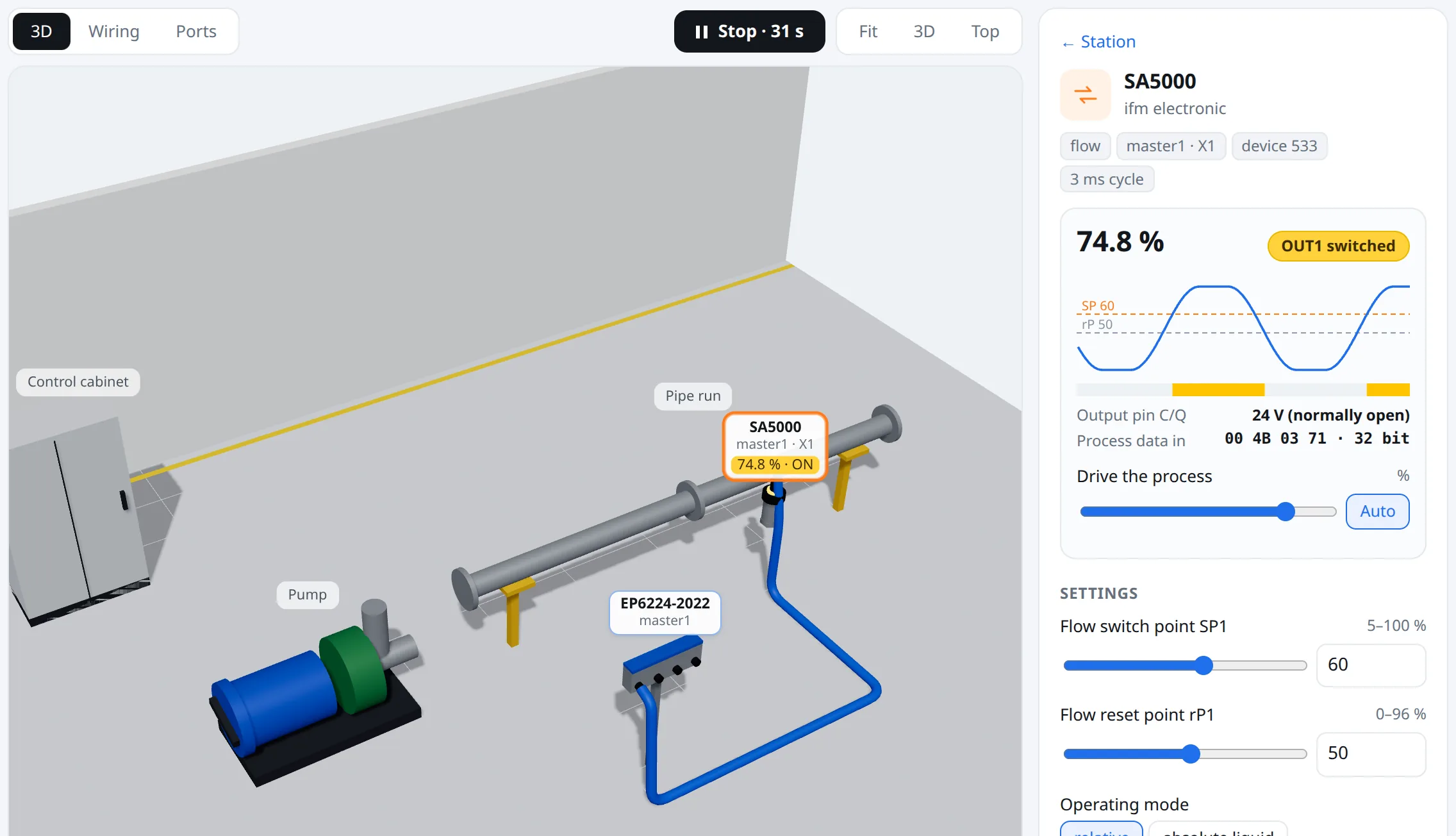
00 4B 03 71: flow 0x004B is 75 %, temperature 0x0371 shifted right by two is 220, that is 22.0 °C (a fixed room value in the simulation), and bit 0 is OUT1.What you get
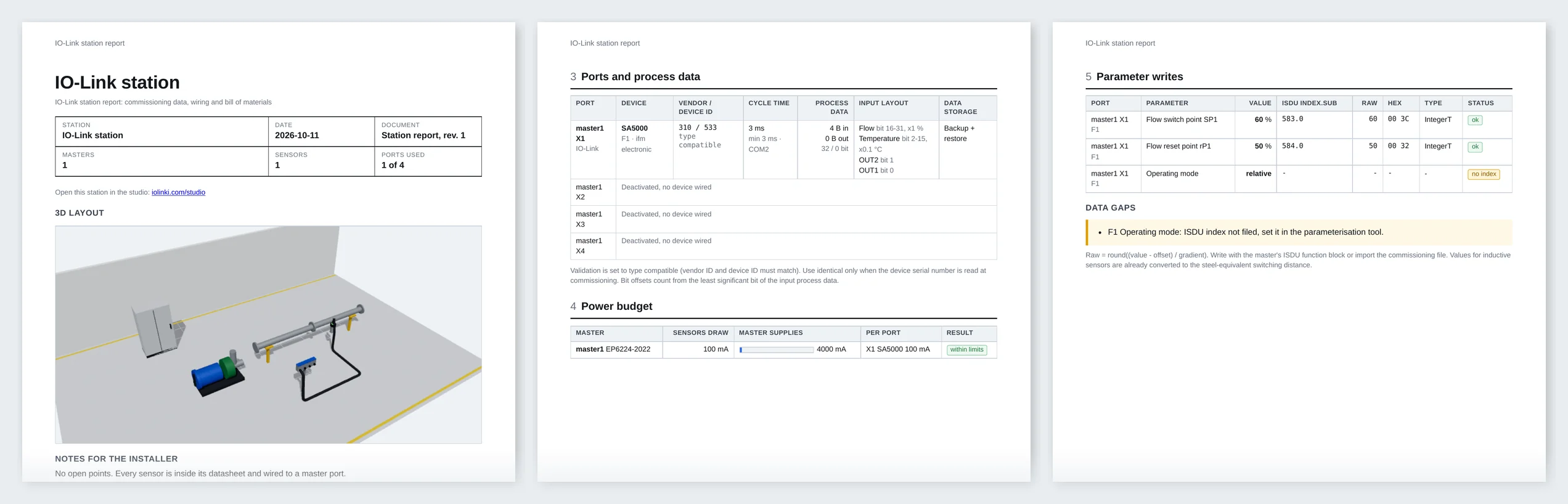
The screenshots show the earlier example. The JSON, CSV and current HTML report below use the current Studio data. They are proposed settings, not a record of physical commissioning.
The commissioning file has every port: validation IDs, cycle time, data storage, and each parameter as ISDU index, subindex and raw value. This is port X1 from the real file, trimmed to the fields that matter:
{
  "port": 1,
  "mode": "iolink",
  "tag": "F1",
  "device": {
    "part": "SA5000",
    "vendor": "ifm electronic",
    "vendor_id": 310,
    "device_id": 533,
    "iodd_file": "ifm-000215-20161025-IODD1.1.xml",
    "bitrate": "COM2",
    "validation": {
      "recommended": "type_compatible",
      "vendor_id": 310,
      "device_id": 533,
      "alternatives": [
        "none",
        "type_compatible",
        "identical"
      ],
      "serial_number": null
    },
    "data_storage": {
      "recommended": "backup_restore",
      "note": "Parameters are kept in the master so a replacement device is loaded automatically. Needs a device that supports data storage; check the IODD."
    },
    "cycle_time_ms": {
      "device_min": 3,
      "recommended": 3
    },
    "process_data": {
      "in_bits": 32,
      "in_bytes": 4,
      "out_bits": 0,
      "out_bytes": 0,
      "in_layout": [
        {
          "name": "Flow",
          "bit_offset": 16,
          "bits": 16,
          "gradient": 1,
          "unit": "%"
        },
        {
          "name": "Temperature",
          "bit_offset": 2,
          "bits": 14,
          "gradient": 0.1,
          "unit": "°C"
        },
        {
          "name": "OUT2",
          "bit_offset": 1,
          "bits": 1,
          "gradient": null,
          "unit": null
        },
        {
          "name": "OUT1",
          "bit_offset": 0,
          "bits": 1,
          "gradient": null,
          "unit": null
        }
      ]
    },
    "parameters": [
      {
        "key": "flow_sp1",
        "name": "Flow switch point SP1",
        "kind": "setting",
        "unit": "%",
        "value": 60,
        "entered": 60,
        "note": null,
        "index": 583,
        "subindex": 0,
        "datatype": "IntegerT",
        "bit_length": 16,
        "raw": 60,
        "raw_hex": "00 3C",
        "clamped": false,
        "status": "ok"
      },
      {
        "key": "flow_rp1",
        "name": "Flow reset point rP1",
        "kind": "setting",
        "unit": "%",
        "value": 50,
        "entered": 50,
        "note": null,
        "index": 584,
        "subindex": 0,
        "datatype": "IntegerT",
        "bit_length": 16,
        "raw": 50,
        "raw_hex": "00 32",
        "clamped": false,
        "status": "ok"
      },
      {
        "key": "medium",
        "name": "Operating mode",
        "kind": "option",
        "unit": "",
        "value": "relative",
        "entered": null,
        "note": null,
        "index": 689,
        "subindex": 0,
        "datatype": "UIntegerT",
        "bit_length": 8,
        "raw": 0,
        "raw_hex": "00",
        "clamped": false,
        "status": "read_only"
      }
    ]
  }
}
Download: commissioning file (JSON) · CSV · current station report (HTML)
Buy and install. One button in the studio sends the station to us. We reply with a price and an install date, buy the parts, mount and wire them, and write the settings on site. No payment is taken in the studio.
Open this station in the studio
The same station comes out of ChatGPT with the iolinki connector (https://mcp.iolinki.com/mcp, setup on the MCP page): describe the job and it builds, checks and shows the station in the chat.